
This guide shows you how to cancel a TeamSkeet membership, including monthly, yearly, and trial subscriptions.
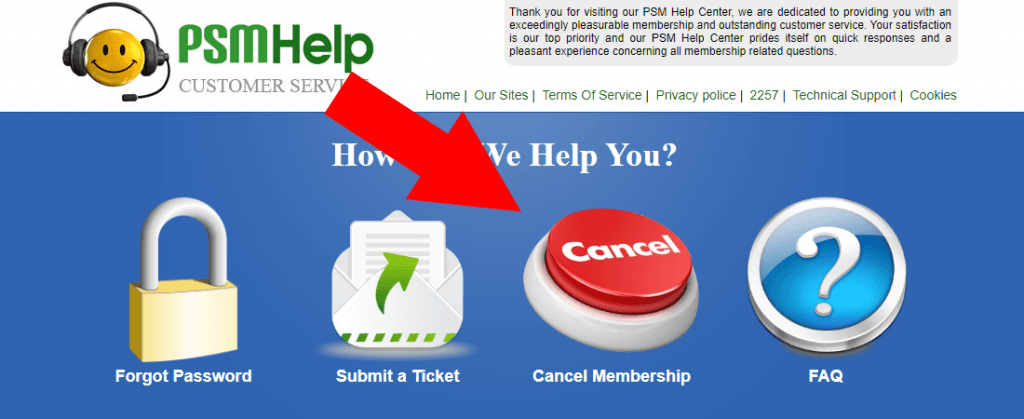
Step 1: Open PSM Help and choose Cancel Membership
Go to TeamSkeet’s support website, called PSM Help. The original article notes that this name is used to keep your membership discreet.
Once the support page loads, click the large red Cancel button to start the cancellation process.
Step 2: Log in to your TeamSkeet account
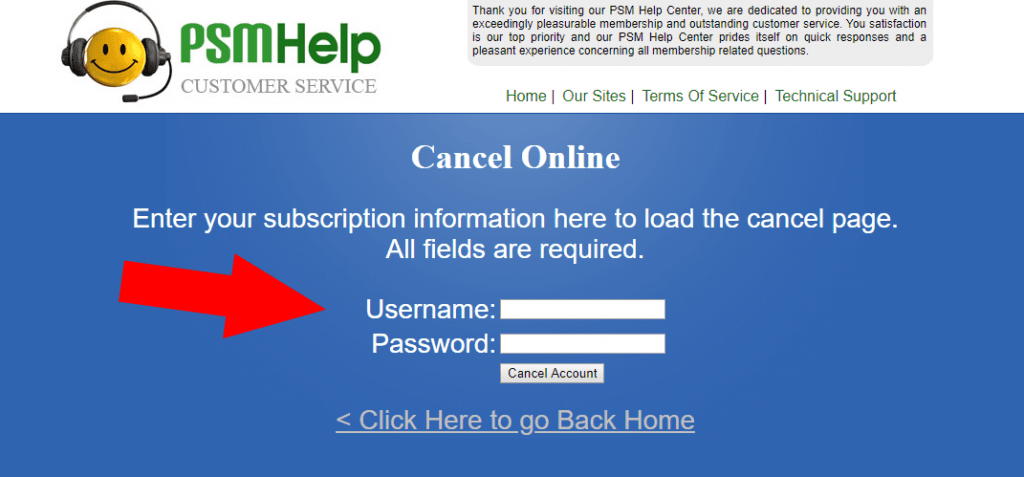
Enter your TeamSkeet username and password when prompted. After logging in, follow the on-screen cancellation steps to finish cancelling your membership.
If you run into any problems, contact TeamSkeet support at [email protected].
Things to know
- The same cancellation process applies to monthly, yearly, and TeamSkeet trial subscriptions.
- You will need your TeamSkeet username and password to log in and complete the cancellation.
- TeamSkeet support is handled through PSM Help, which the original article says is named that way for discretion.
- If the cancellation process does not work, email [email protected] for help.
After completing the steps, confirm with TeamSkeet support if you want to make sure your membership has been cancelled.