This guide shows you how to cancel a Brazzers membership; the original process says the same steps apply to monthly, yearly, and trial plans.
Step 1: Visit Brazzers Support
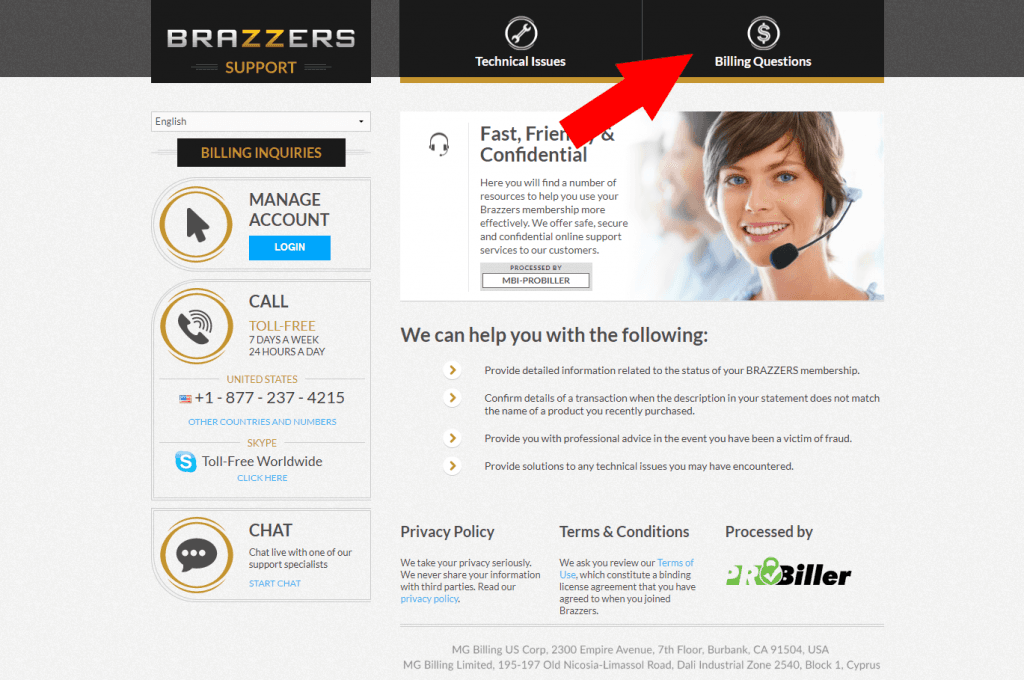
Go to the Brazzers support page. Once the page loads, click the Billing Questions tab at the top of the page.
Step 2: Select “Cancel my Membership”
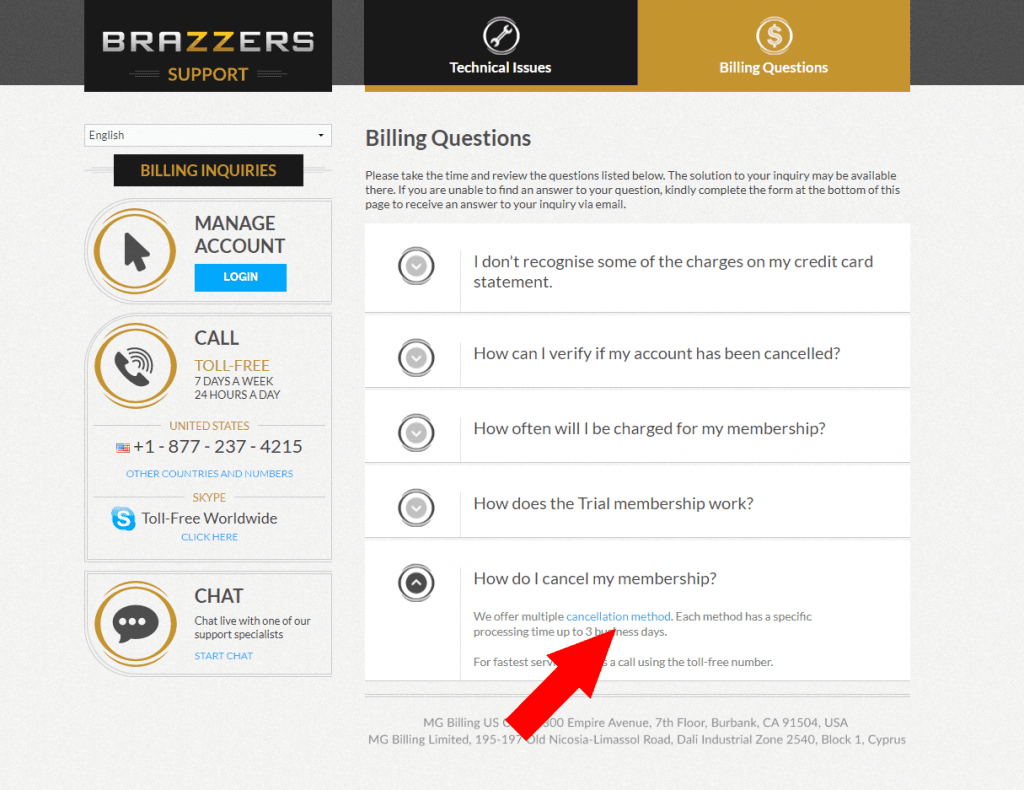
In the Billing Questions section, open the How do I cancel my membership? question.
Then click the cancellation method link shown in that answer.
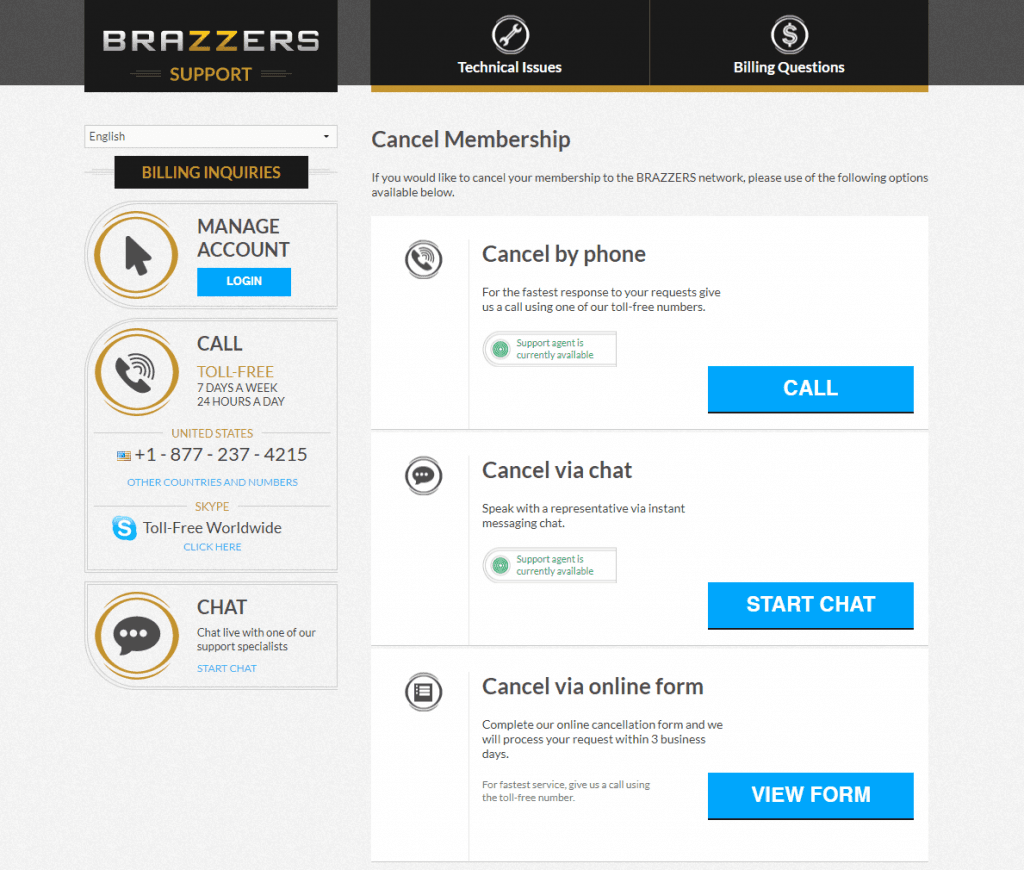
Step 3: Choose your cancellation method
Choose the cancellation method you prefer. The original guide says Brazzers lets you cancel by phone, chat, or online form.
The original guide recommends online chat as the fastest and simplest option. Before you start, have your sign-up email ready, and have the last 4 digits of your credit card available if you paid by credit card.
Things to know
- The original guide says the same cancellation steps apply to monthly, yearly, and trial Brazzers memberships.
- Brazzers offers cancellation by phone, chat, or online form through its support page.
- Have your personal details ready, including the email used to sign up and the last 4 digits of your credit card if you paid by credit card.
If you still have trouble canceling, contact Brazzers support through your chosen cancellation method and ask them to confirm that your membership is cancelled.