This guide explains how to cancel a Reality Kings membership, including monthly, yearly, and trial plans.
Step 1: Visit Reality Kings support
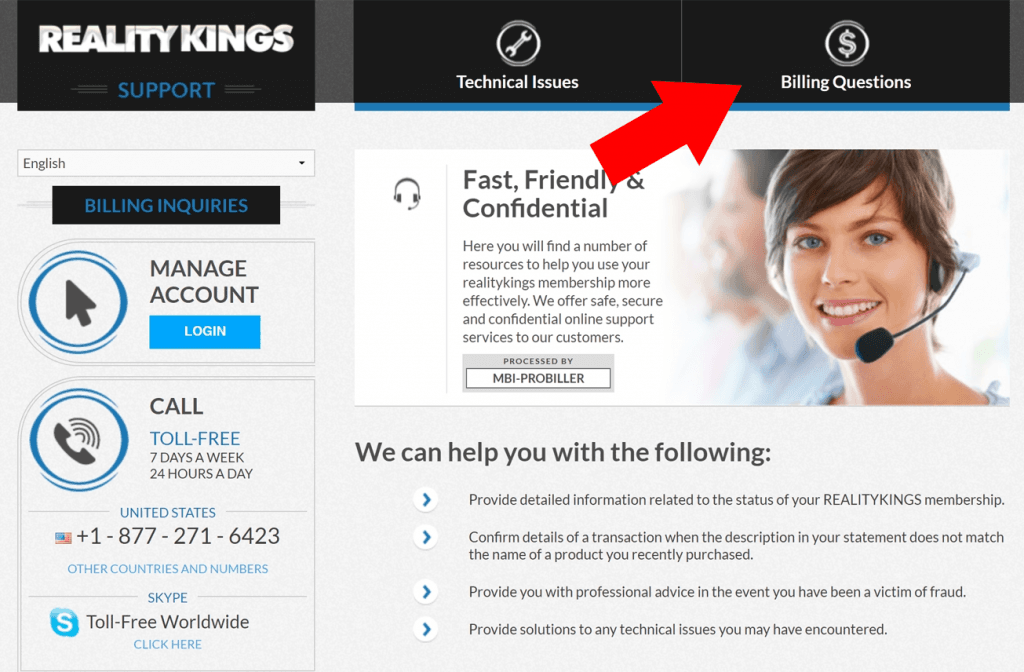
Go to the Reality Kings support page. Once it loads, select the Billing Questions tab at the top of the page.
Step 2: Open the cancellation question
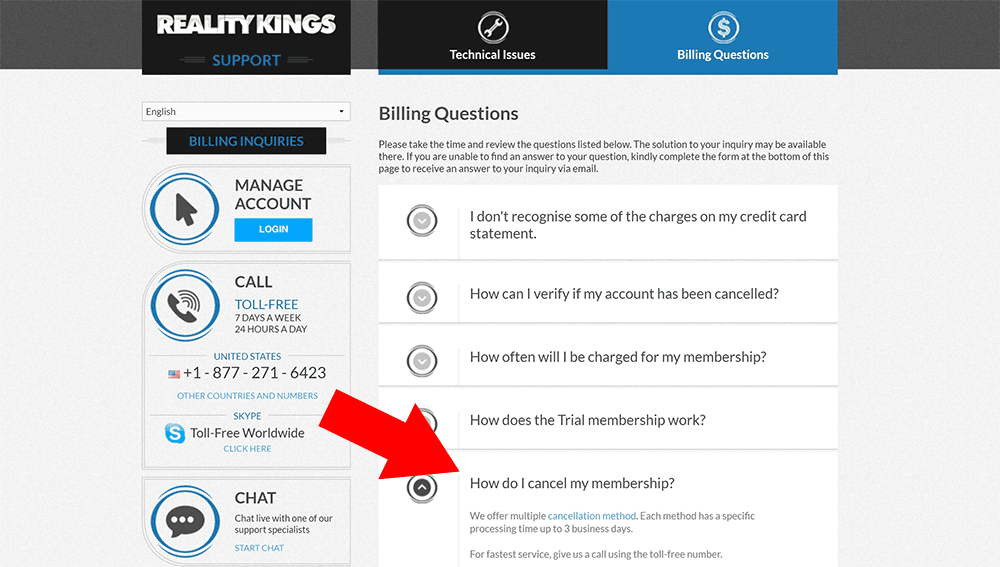
In the Billing Questions section, scroll down and click How do I cancel my membership?. In that answer, select the cancellation method link.
Step 3: Choose a cancellation method
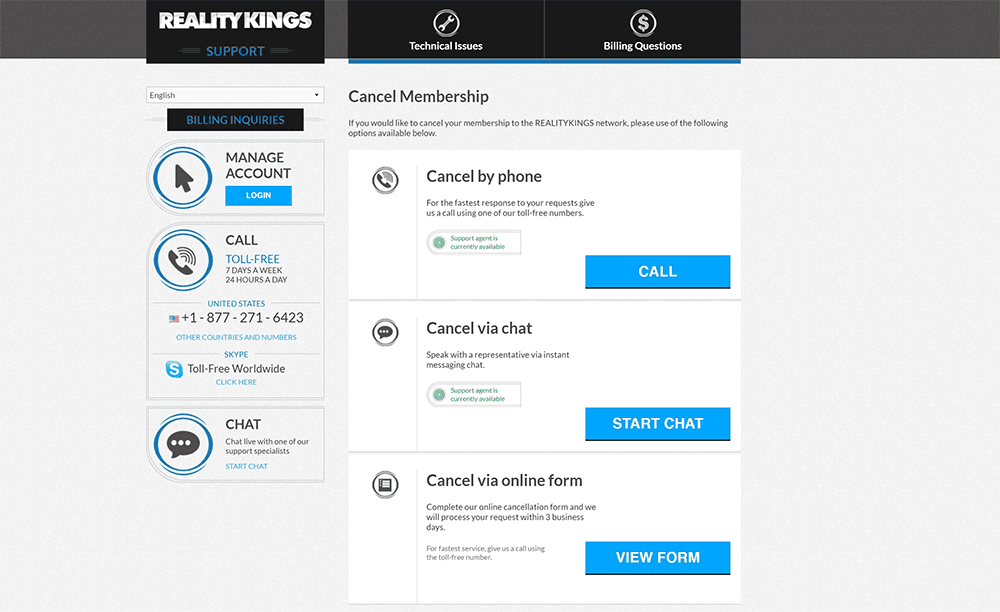
You will see three cancellation options: phone, chat, or online form. Choose the method you prefer and follow the instructions Reality Kings support provides.
If you want the quickest option, the original guide recommends using online chat.
Things to know
- You can cancel your Reality Kings membership whenever you like.
- The same cancellation steps apply whether you have a monthly plan, yearly plan, or Reality Kings trial access.
- Have your sign-up email ready.
- If you paid by credit card, have the last 4 digits of the card available.
- Having your details ready should help the cancellation go faster.
After submitting your cancellation request, confirm with Reality Kings support that your membership has been cancelled.