This guide explains how to cancel your Digital Playground membership through the support page. The same cancellation process works for yearly, monthly, and trial memberships.
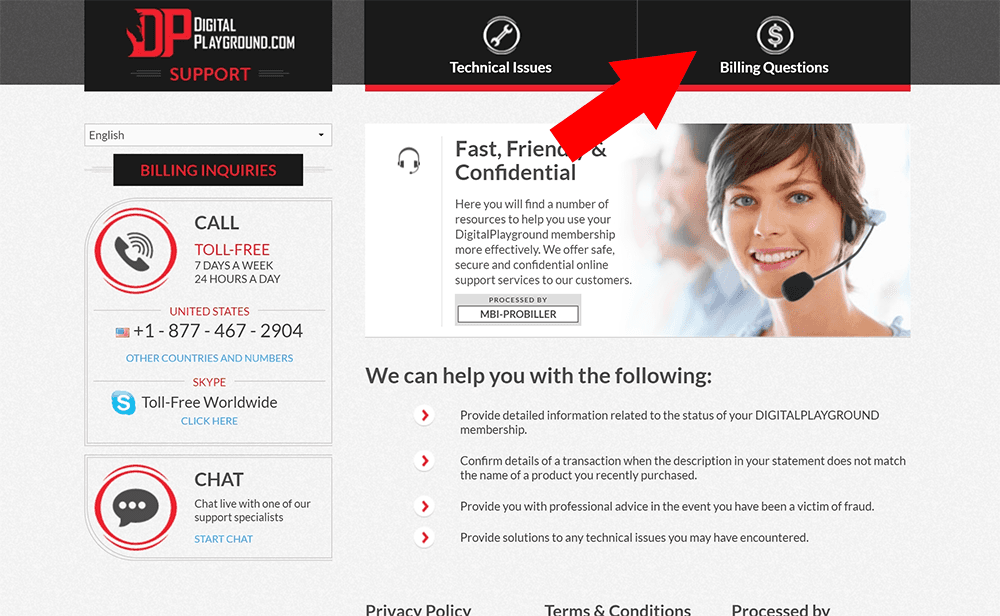
Step 1: Visit Digital Playground Support
Go to the Digital Playground support page to start the cancellation process.
Once the page loads, click the Billing Questions tab at the top of the page.
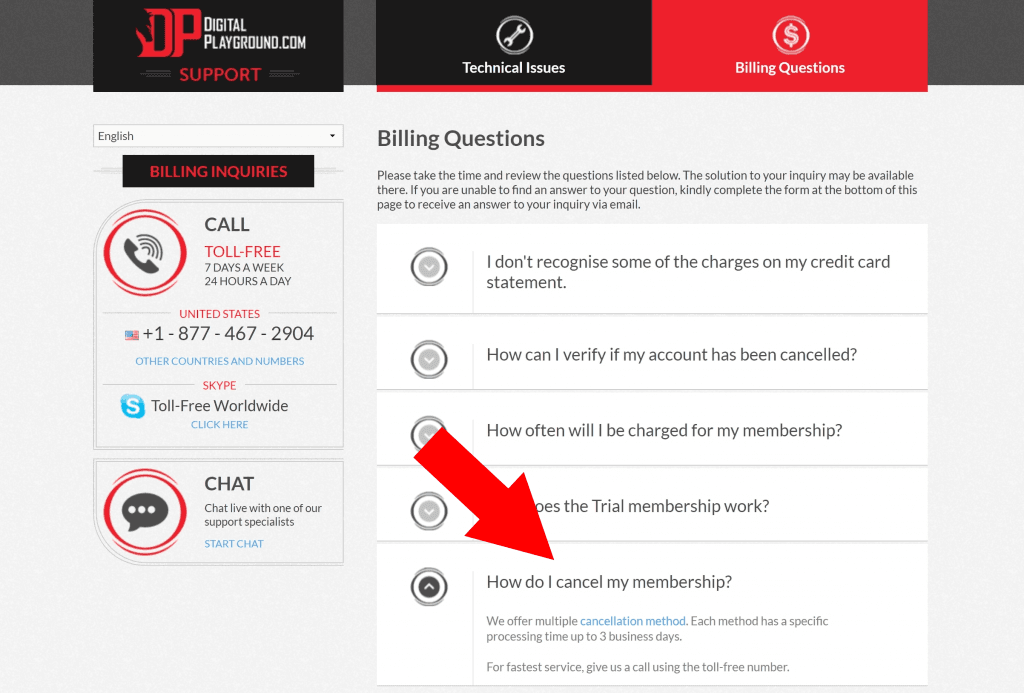
Step 2: Select “Cancel my Membership”
On the Billing Questions page, scroll down and open the How do I cancel my membership? section.
After the section expands, click the cancellation method link shown there.
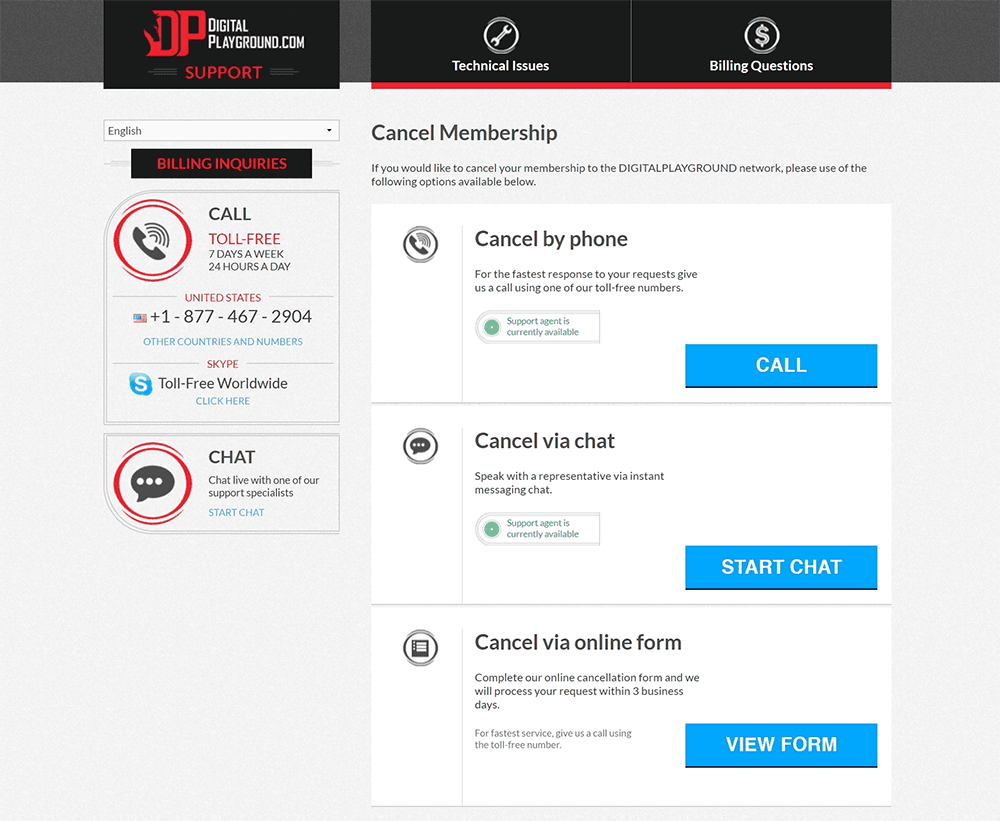
Step 3: Choose a cancellation method
Digital Playground gives you three cancellation options: you can call support, use live chat, or fill out the cancellation form. Live chat is usually the quickest and easiest option.
Before you contact support, have your purchase details ready, including the email address used to sign up and the last four digits of the credit card if you paid by card.
Things to know
- The same process applies to yearly, monthly, and trial Digital Playground memberships.
- You may be asked for purchase information, such as your sign-up email and the last four digits of the card used for the membership.
- The available cancellation options are phone support, live chat, or the cancellation form.
- The original guide recommends live chat as the fastest and easiest cancellation method.
If you run into trouble, contact Digital Playground support and make sure your membership cancellation is confirmed.