This guide explains how to cancel an Evil Angel membership through the Fame Support cancellation form.
Step 1: Visit Evil Angel Support
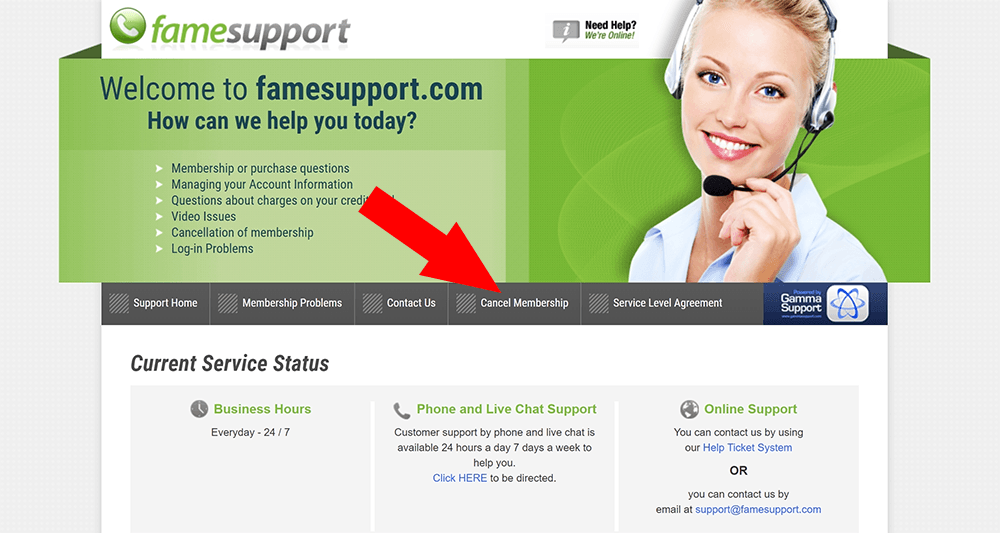
Go to the Evil Angel support website, which is called Fame Support because Evil Angel is operated by Fame Dollars.
Once the support site loads, click the Cancel Membership button in the navigation bar.
Step 2: Fill out the cancellation form
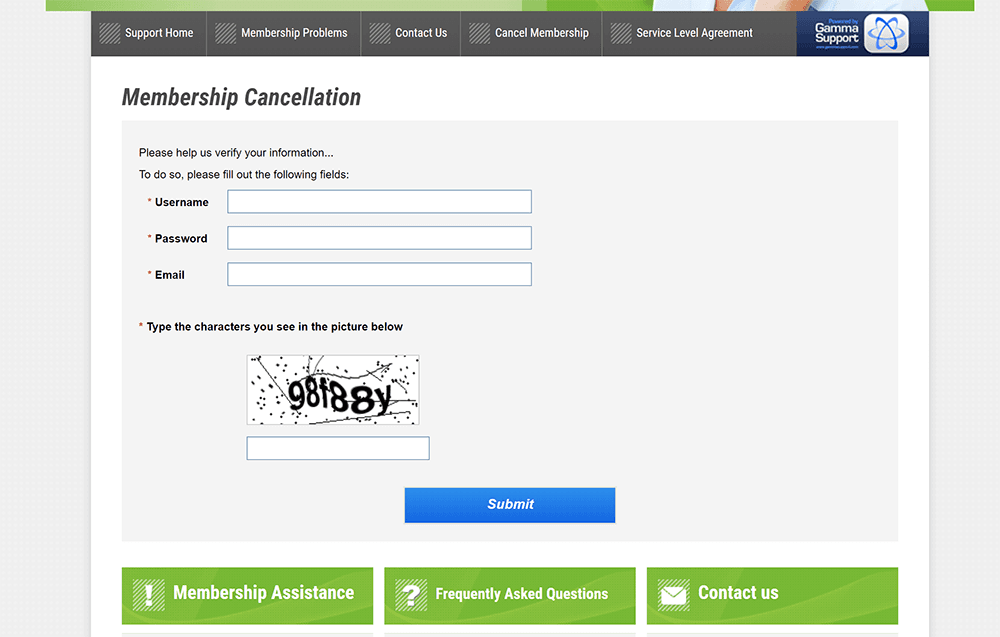
Complete the cancellation form by entering the username and password you use to log in to the Evil Angel members area.
Submit the form to request cancellation of your Evil Angel membership.
Things to know
- You will need your Evil Angel members-area username and password to complete the cancellation form.
- The Evil Angel support site is called Fame Support, because Fame Dollars is the company behind Evil Angel.
- If you have trouble cancelling, use the support form to contact Evil Angel for help.
After submitting the form, confirm with Evil Angel support that your membership has been cancelled.