This guide shows you how to cancel a Pornhub Premium membership, including monthly, yearly, and trial plans.
Step 1: Visit Pornhub Premium Support
Go to the Pornhub Premium support page to start the cancellation process. This is where Pornhub Premium directs billing and membership questions.

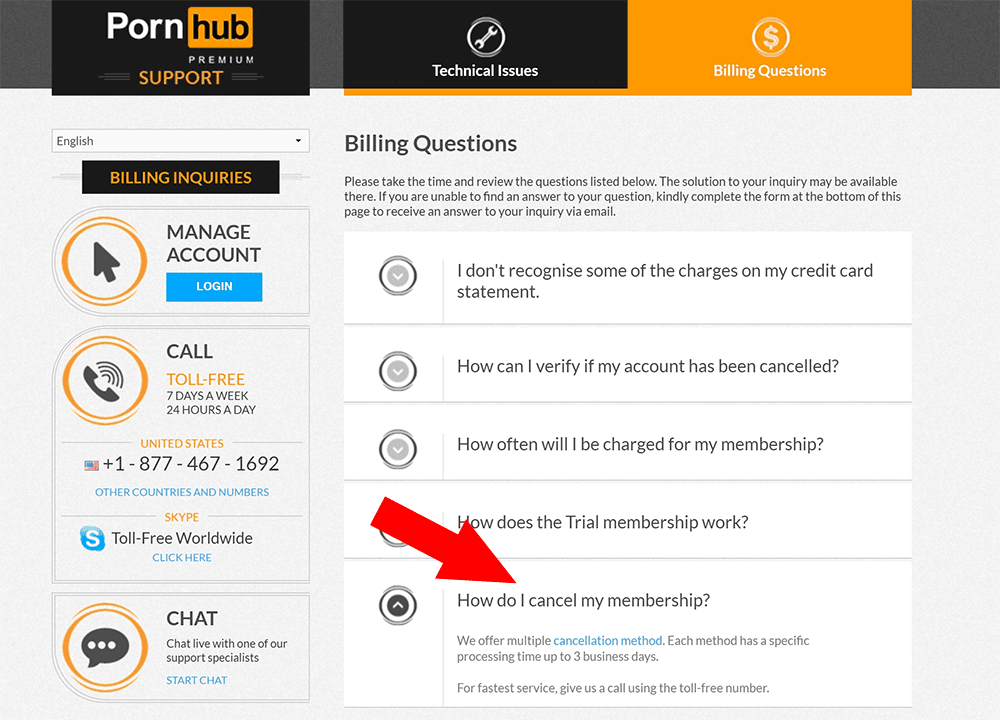
Step 2: Open Billing Questions
On the support page, select Billing Questions in the top-right corner of the website.

Step 3: Find the cancellation question
Once you are on the billing page, scroll down until you find the question How do I cancel my membership?
Step 4: Open the cancellation method link
Click the cancellation question to expand it, then click the cancellation method link shown inside the answer.
Step 5: Choose how you want to cancel
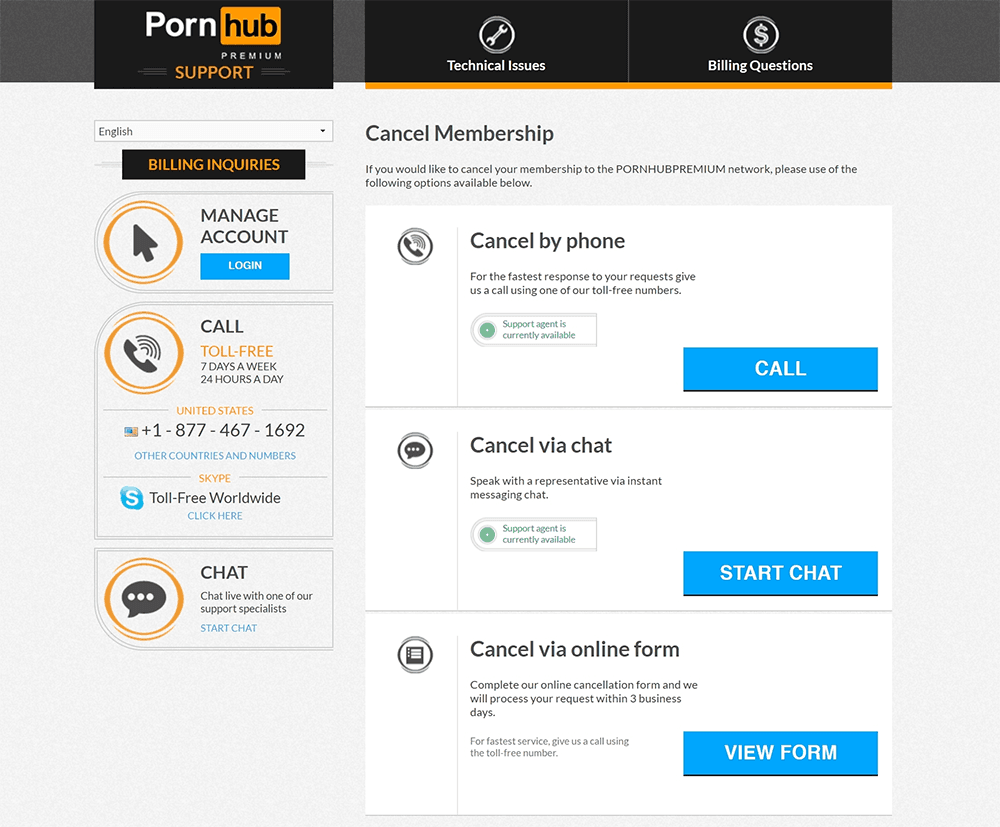
Pornhub Premium gives you three cancellation options: call them, chat with them online, or fill out a form. Choose the method that works best for you.
The original guide recommends live chat as the most convenient option.

Step 6: Have your billing details ready
If you cancel by live chat or phone, prepare your purchase information before contacting support. Have your full name, email address, and the last 4 digits of your credit card ready.

Step 7: Complete the cancellation with support
Follow the instructions given through your selected cancellation method. If you still have trouble cancelling, contact support for help.

Things to know
- The same cancellation process applies to monthly, yearly, and trial access.
- Pornhub Premium lists three cancellation methods: phone, online chat, and form.
- If you use phone or live chat, have your full name, email address, and last 4 digits of your credit card available.
- The original guide does not state a refund policy, so ask support directly if you have refund questions.
After completing the process, confirm with support that your Pornhub Premium membership has been cancelled.